- 📈👀 CEO Watcher
- Posts
- Top insider trades (Thu, Jan 8)
Top insider trades (Thu, Jan 8)

Connor Van Ooyen
January 08, 2026
Website // Discord // Previous Emails // Contact Me
Connor’s Commentary
Big news: We added custom alerts to ceowatcher.com. I discuss more below.
There were 197 new insider trades filed. I also added a new position to the CEO Watcher portfolio, which Premium subscribers will see later in the email.
Voss Capital added $7M to their PAR Technology (PAR) position and $3M to their Flywire $FLYW position
Director at Intellia Therapeutics, Inc. (NTLA) bought $1.4M of the stock. It’s their first purchase ever after making nine straight sales. The stock is down over 50% in the last three months.
CFO at Rithm Capital Corp. ($RITM) bought $300k
Urban Outfitters (URBN) insiders continue to sell
The VP of Exploration at Hecla Mining (HL) sold $1.14M. The stock is up almost 300% in the last year.
CEO at Westinghouse Air Brake Technologies (WAB) sold $787k (5th largest sale, out of 16). He sold last month too.
Senior VP at Ambarella (AMBA) sold $584k (2nd largest sale, out of 12)
and more…
Commentary
Yesterday, we got the CEO of Coinbase community noted on X, which is kind of funny.
He made a post insinuating that he has bought Coinbase stock via his 10b5-1 plan.
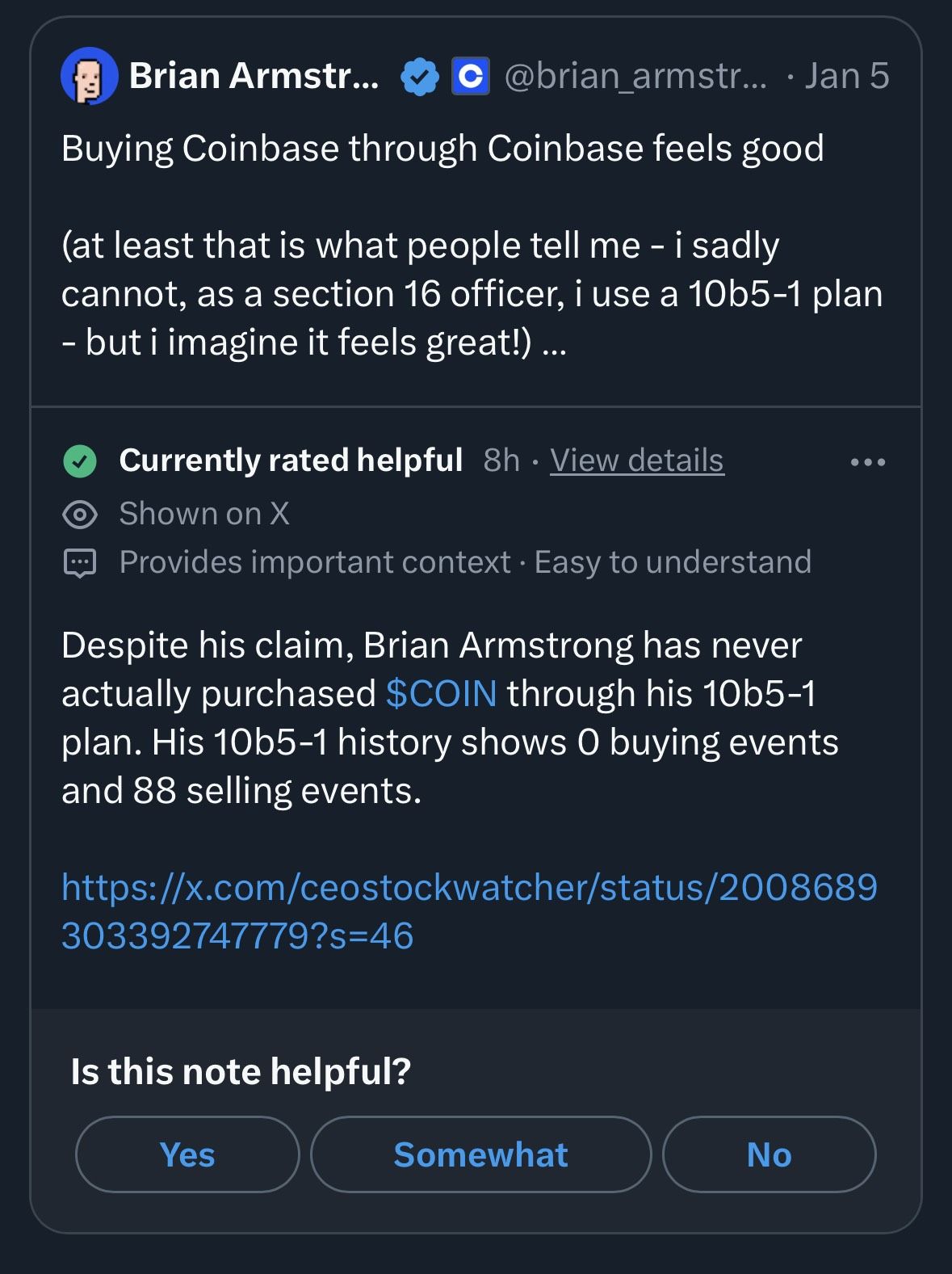
We clarified that he has never bought Coinbase stock, and our post was referenced in the community note.

To be clear, I have no issue with him selling. I just felt that he was insinuating that he had used his 10b5-1 plan to buy the stock, which was not the case.
But, that’s not what we are here for. We are here to look at the CEO Watcher alerts!
CEO Watcher Premium subscribers can now set up their own custom alerts and receive a daily email at 6am EST with the insider trades that meet their criteria.
To access, go to ceowatcher.com and click on the alert icon.

That will take you to your “inbox”, which will be a curated feed where all of the insider trades that meet any of your alert criteria are shown (once you have your criteria set up).
Then click on the configure button to set up your own alerts.
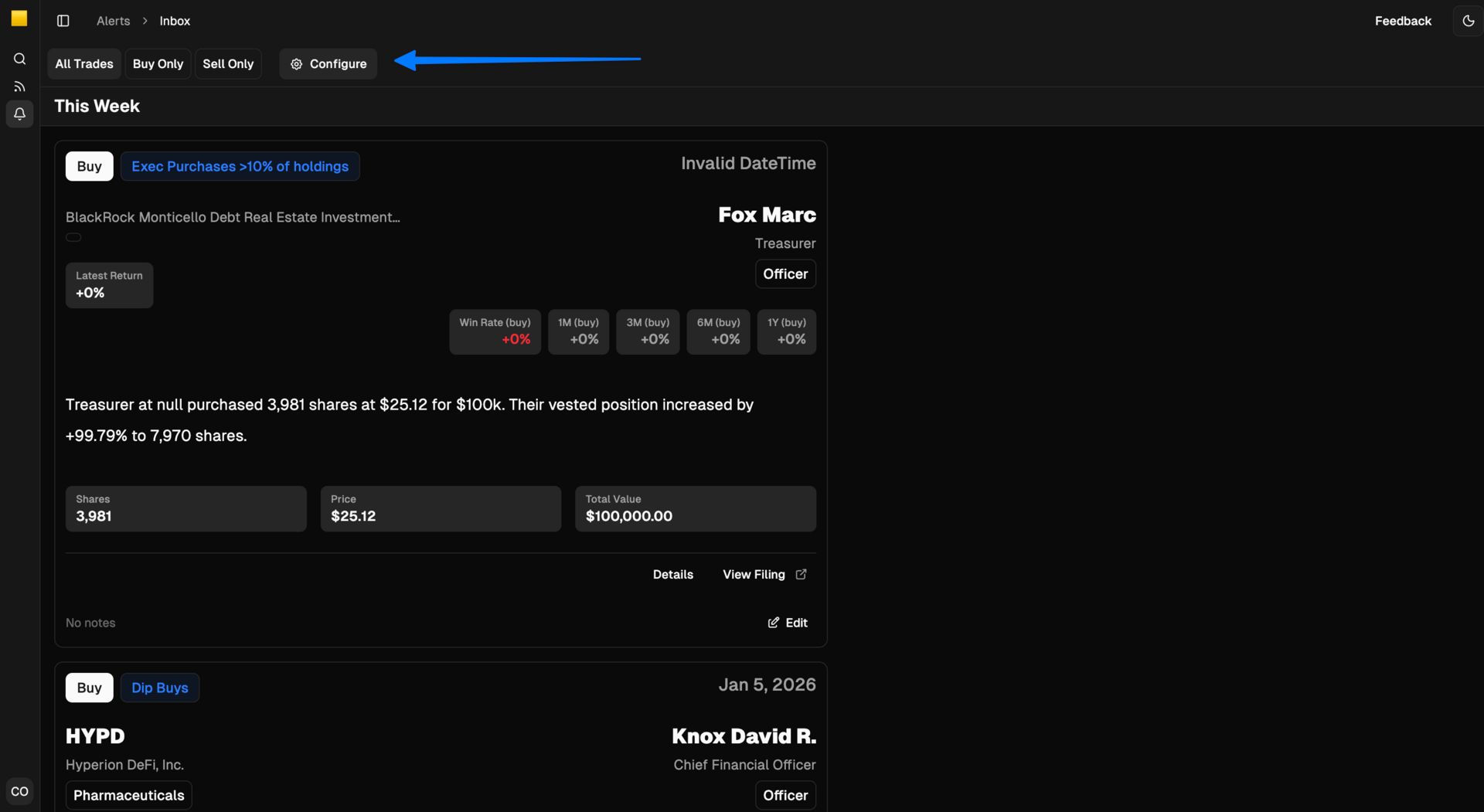
After you’ve clicked configure, you will be on the Alerts Configuration page, where you can set up your alerts.
As you can see, I currently have alerts for Dip Buys, Reversal Buys, Momentum Purchases, the stocks in the CEO Watcher Portfolio, and large exec purchases.

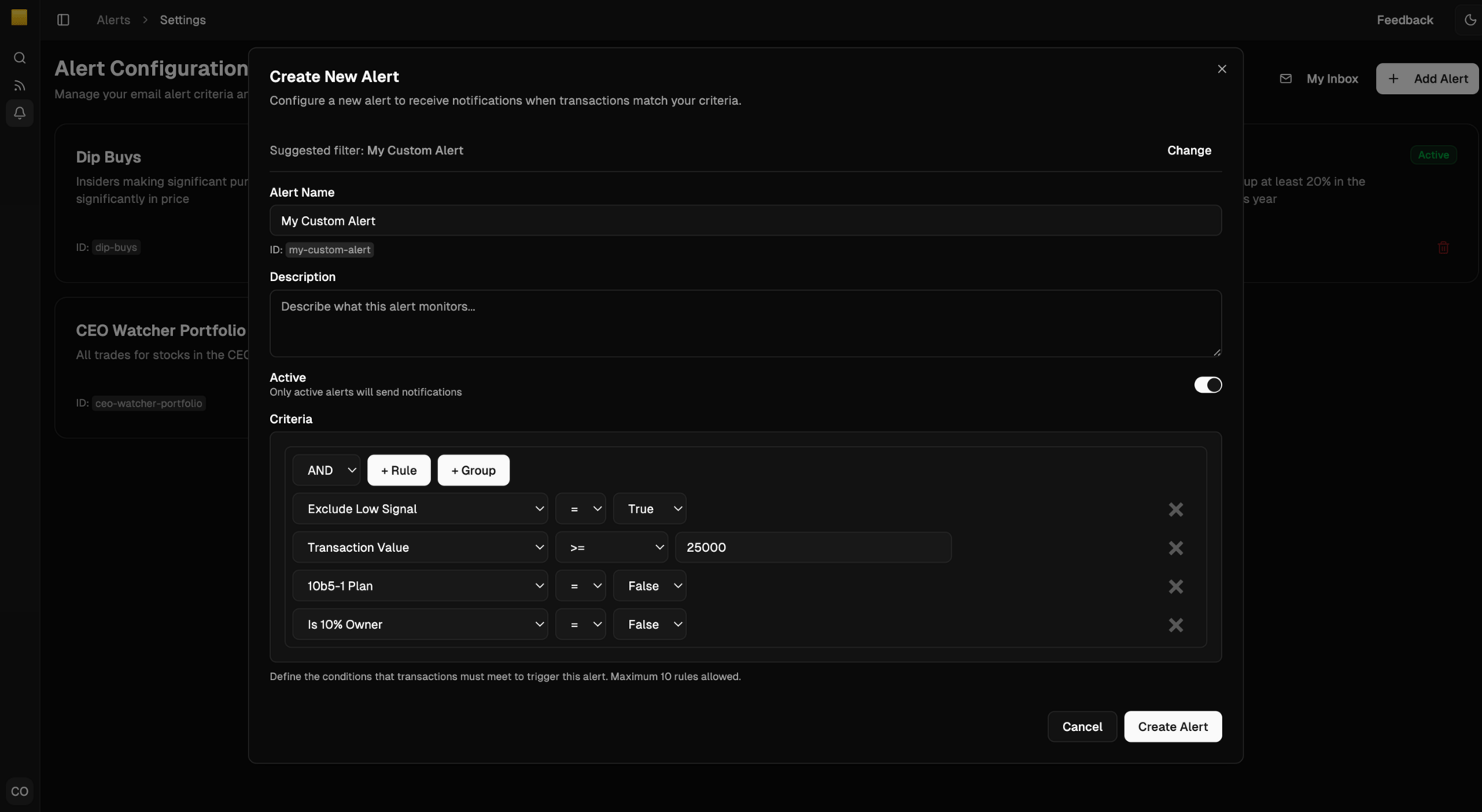
When you click on the Add Alert button, it will pop up a modal with some templates for you to use.
When creating your own custom alerts, I recommend using the Basic Starter template most of the time.

This template sets a few basic criteria that you will likely want to use most of the time.
The main filter I want to point out is the “Exclude Low Signal” filter. This will exclude all scheduled insider trades like employee stock purchase plans, dividend reinvestments, tax sales, private placements, etc. You should be using this filter most of the time.
The other default filters we have set are:
Transaction Value >= 25,000
10b5-1 Plan = False
is 10% Owner = False
Historically, we have found that super small transaction values, 10b5-1 plans, and 10% Owners all correlate with lower returns. However, in some cases, you may want to remove these filters (like if you want to get every single insider trade at a list of companies you own).
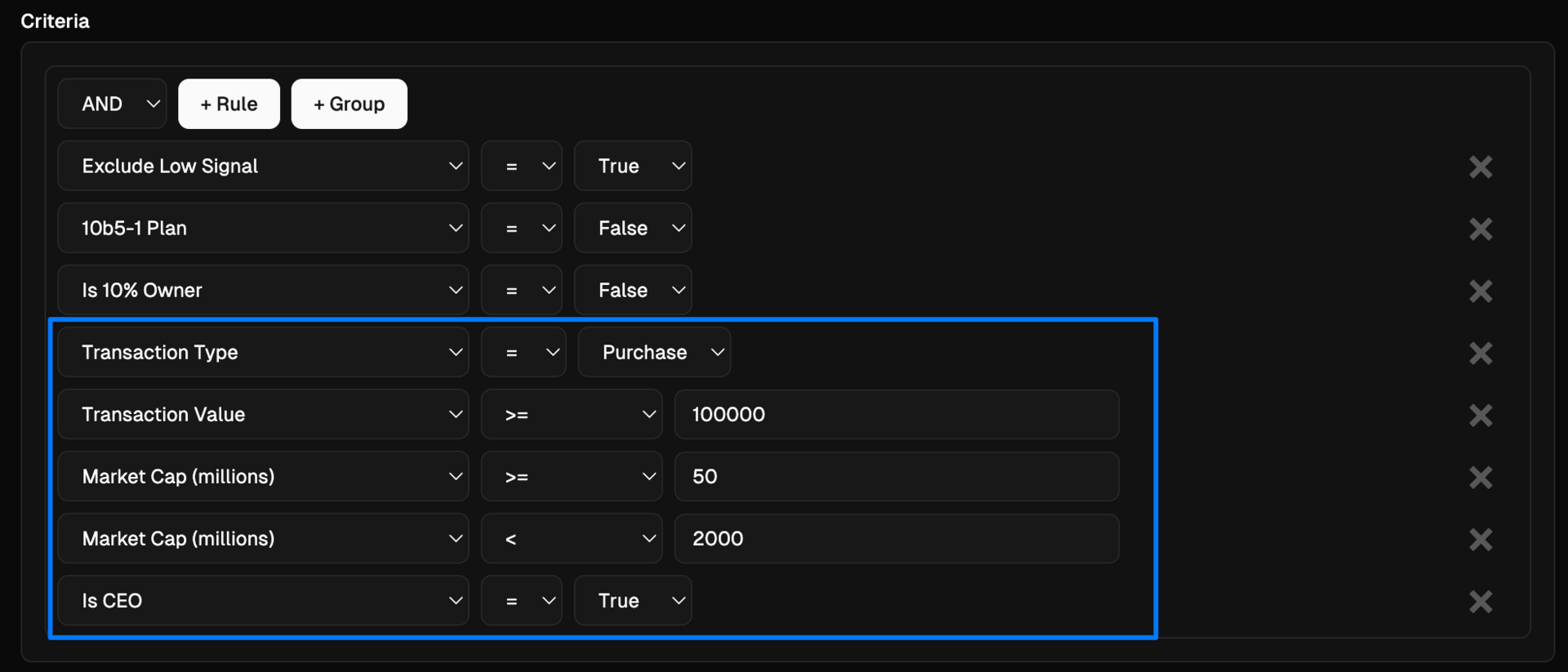
We have over 100 different filters you can set.
You could set an alert for insider purchases where the insider averages at least 25% 1y returns on their previous purchases with a 70%+ win rate.

You could put in the list of tickers you own or have on your watchlist and get alerted any time there is an insider buy or sell at those companies.

You could set an alert for any time a CEO makes a $100k+ purchase at a company with a market cap between $50M and $2B.
Someone requested an alert for Cluster Buys (when multiple insiders are buying) at Biotech companies (note: you can Command + Click / Control + Click to select multiple industries).

You can set alerts for basically anything you want. Each morning at 6am EST, you will receive an email with the trades that meet any of the filter sets you created.
If you have any questions or feedback, email me any time at [email protected].
I also put a tutorial video on YouTube explaining a bunch of the filters (link) and will be writing a document soon that details them all.
If you aren’t a CEO Watcher Premium subscriber, you can sign up at ceowatcher.com. If it’s not for you, I give refunds at any time with no questions asked.
keep scrolling. top trades + all of the charts and data below

🔒 CEO Watcher Premium
The rest of this email (including today’s top insider trades + all the charts and data) is for CEO Watcher Premium subscribers only. To see an example of the Premium email, click here.
Upgrade to CEO Watcher Premium at ceowatcher.com to unlock:
The Premium daily emails
Full access to the website, which has all insider trades back to 2009. It includes search/filters and the returns of every trade and every insider to help you find the top insider trades
Full access to the CEO Watcher Premium Discord where I share my notes and holdings in the CEO Watcher Portfolio
The Premium Dashboard, which has a bunch of charts/tables with insider trading data that is updated each day
If CEO Watcher Premium is not for you, I give full refunds with no questions asked.
Reply